One list, reason shown
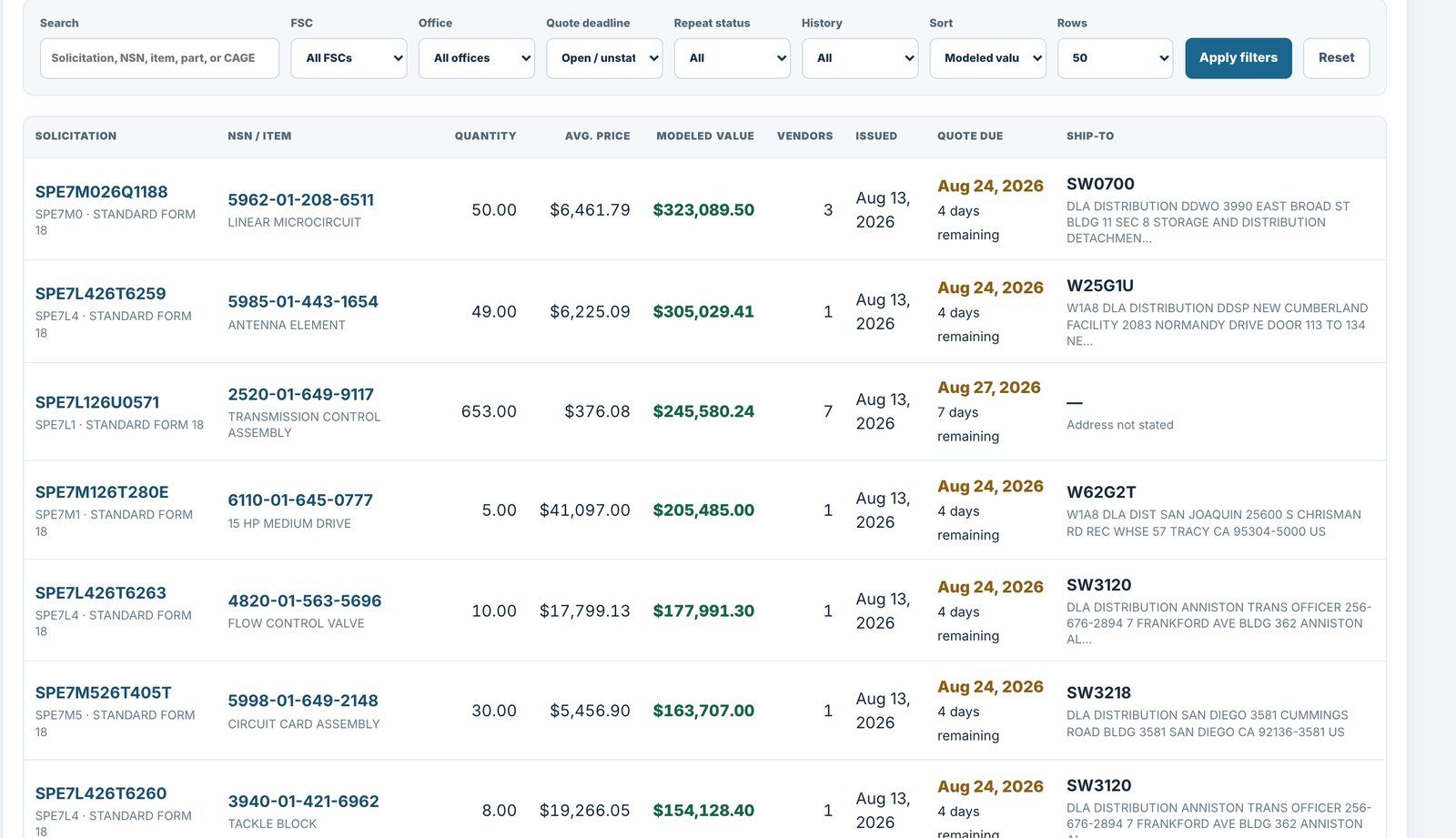
Start with your CAGE, known items, or category. Review the solicitations that fit, and see why each one surfaced.

For bid desks and contracts teams · DIBBS software for DLA suppliers
DIBBSFlow puts the solicitation, its award history, active manufacturers, and packaging context in one review your team works together.
What you get
You run several searches, alerts, and lookup tools, and qualifying a bid still means checking award, item, source, and packaging by hand.
Start with your CAGE, known items, or category. Review the solicitations that fit, and see why each one surfaced.
Recorded awards for each NSN over a multi-year window, next to the solicitation your team is deciding on. No separate lookups.
A missed packaging standard means repack and return freight. MIL-STD packaging context sits with the solicitation where available, and solicitations show the active manufacturers decoded from FLIS records.
Shortlist and track the opportunities under review, and keep the review state visible to the team.
From the product
Scope and sources
Public DIBBS solicitations and DLA records, with the source shown beside each field. Your team verifies requirements and submits through DIBBS, the way it does today.
See how every figure is sourced, or start with the DIBBS Academy.
Questions
No. DIBBSFlow is review software. You verify requirements and submit quotes through DIBBS, the way you do today.
A saved search returns records that match a query. DIBBSFlow shows the award history, past prices, and source record beside each solicitation.
Public DLA award and solicitation records. Every figure shows its source and date range.
The platform
Next step
Thirty minutes on your own CAGE: your queue, the award context beside it, and why each item surfaced.