Broad demand, one worklist
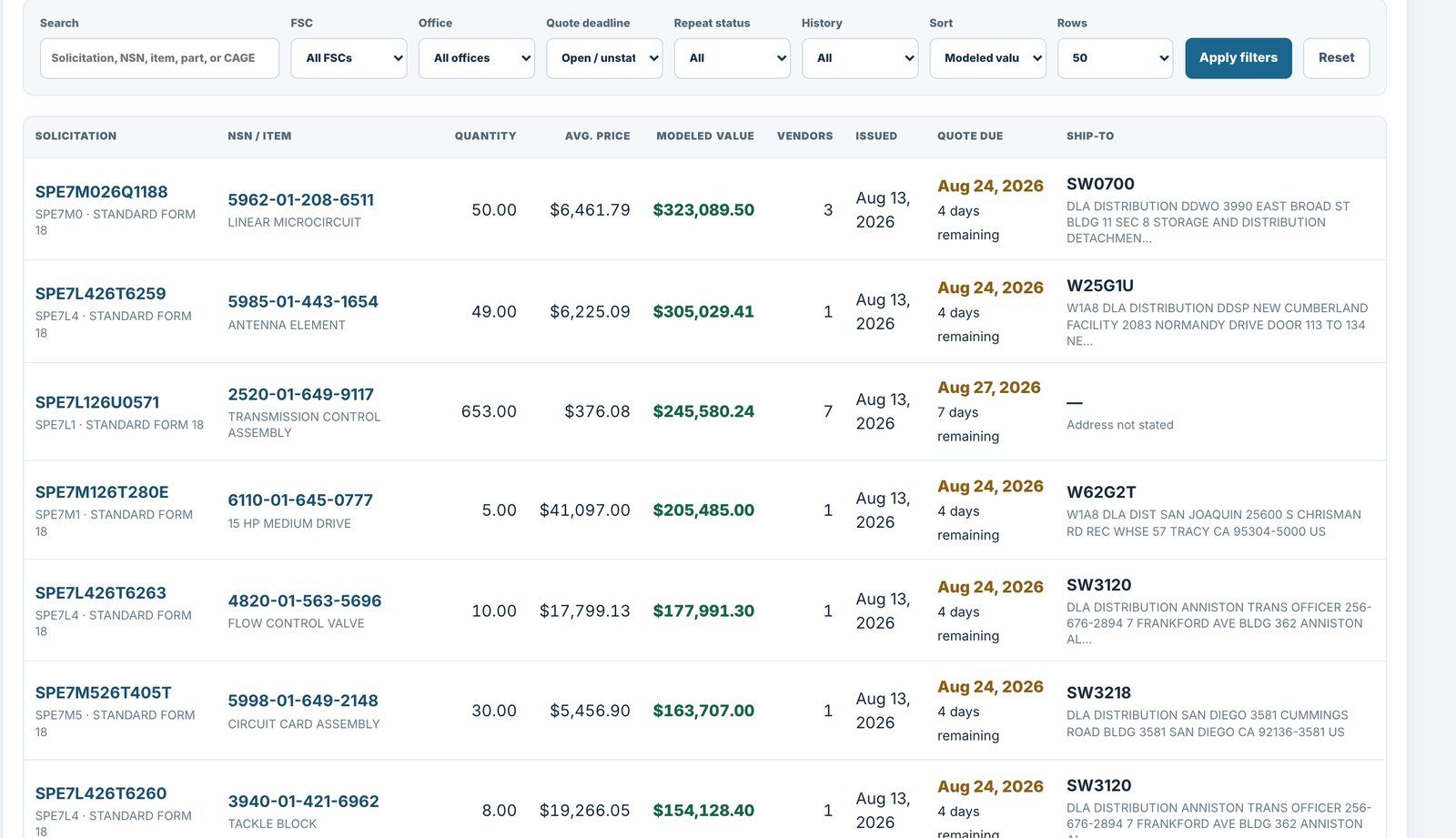
The Bid Board puts solicitations filtered to your CAGE's FSCs and NSNs in one list, with the reason each one appeared beside it.

For distributors · DIBBS software for DLA suppliers
DIBBSFlow puts supplier and award context beside every solicitation, in one queue, across the categories you cover.
What you get
You cover broad demand and need supplier and award context in the same queue your team already works from.
The Bid Board puts solicitations filtered to your CAGE's FSCs and NSNs in one list, with the reason each one appeared beside it.
Solicitations show the active manufacturers decoded from FLIS records, and recorded awards show who has won and at what recorded prices.
Explore adjacent items and categories with evidence from the DIBBS market. Adjacent-market comparisons are directional context, not a product recommendation.
Shortlist and track the opportunities under review, and keep the review state visible to the team.
From the product
Scope and sources
DIBBSFlow shows recorded demand and market context from public DLA records. It does not guarantee supply, price advantage, or a carry decision. Your team decides what to quote.
See how every figure is sourced, or start with the DIBBS Academy.
Questions
No. It shows recorded demand, similarity to your catalog, and market context. Fit and pursuit decisions stay with your team.
Yes. Shortlist and track the opportunities under review, and keep the review state visible to the team.
Public DIBBS solicitations and DLA records, with the source shown beside each field. Your team verifies requirements and submits through DIBBS, the way it does today.
The platform
Next step
Thirty minutes on your own CAGE: your categories, the demand across them, and the context beside each record.